This guide will walk you through how to host a FiveM server through playit.gg
Requirements
- GTA V Legacy
Server
- FiveM Server Guide - docs.fivem.net
- FiveM Client Setup - fivem.net
- Server Registration Key - portal.cfx.re
We’ve decided to use TxAdmin for this demonstration. Other ways do exist and work with playit. This guide assumes that a FiveM server has already been created. If you are unsure how to set up a server, feel free to ask in the Discord !
Creating a tunnel
This server uses
TCP/UDP 30120, which means that free users will not be able to create this - however, you can check out playit premium
Set up the tunnel as follows:
Tunnel Type: TCP/UDP (protocol)
Port Count: 1
Local Port: 30120
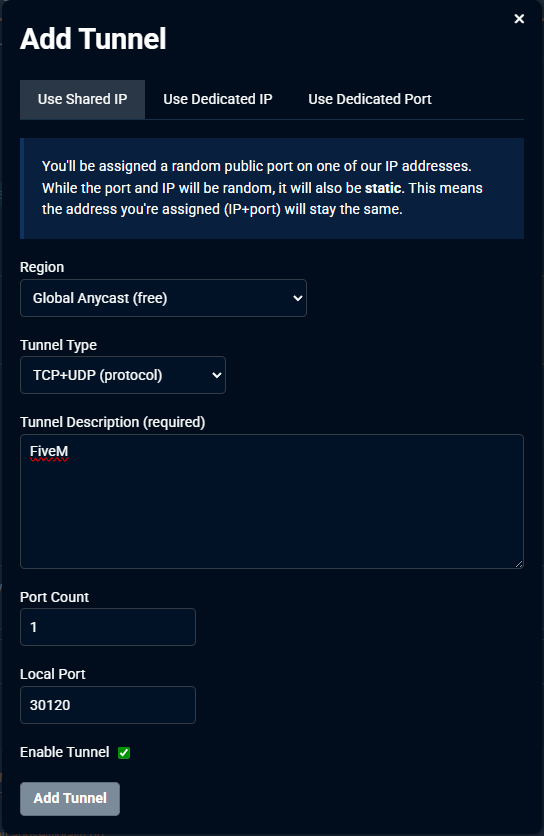
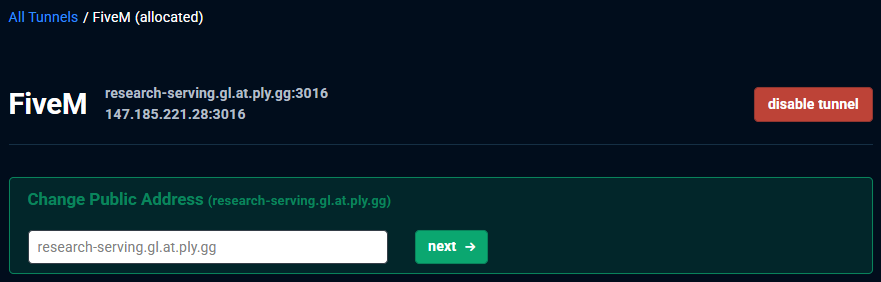
Your tunnel has been created, and the next time you open FXServer.exe, the server will run and a new browser tab for TxAdmin should open
Using a tunnel for TxAdmin’s panel (optional)
Set up the tunnel as follows:
Tunnel Type: TCP (protocol)
Port Count: 1
Local Port: 40120
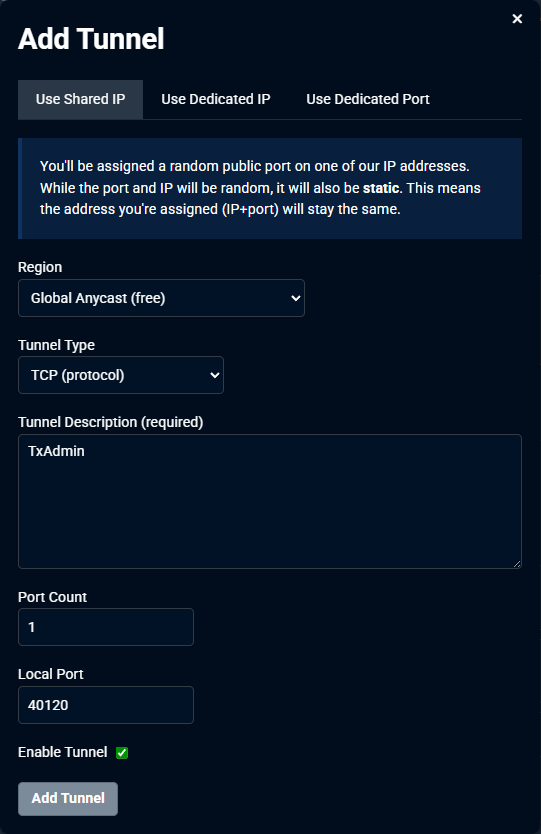
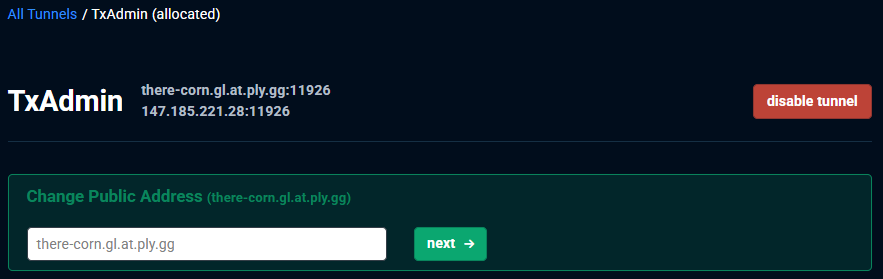
Connecting to the server
Inside of FiveM, click on Play, and go to the server list. We’ll want to direct connect.
To do this, we’ll type in >IP_Address:Port. This will be different for everyone.
