What is the Proxy Protocol? The Proxy Protocol provides a way for your server to receive your client’s true IP.
Enable The Proxy Protocol on your Velocity Server
After your Velocty server has been started, a configuration file for it should have been generated. This can be found at ./veloctiy.toml. Change the [advanced] haproxy-protocol variable from false to true.
Details on Velocity’s configurations can be found here .
Note: Normal clients will not be able to connect if they do not send proxy protocol information. Connecting directly with your Minecraft client will no longer work.
Important: After making this change you will need to restart your minecraft server.
Change your playit tunnel to use the Proxy Protocol
Navigate to your tunnel on playit.gg . Down the page you should find the attribute “Proxy Protocol” with a button to change.
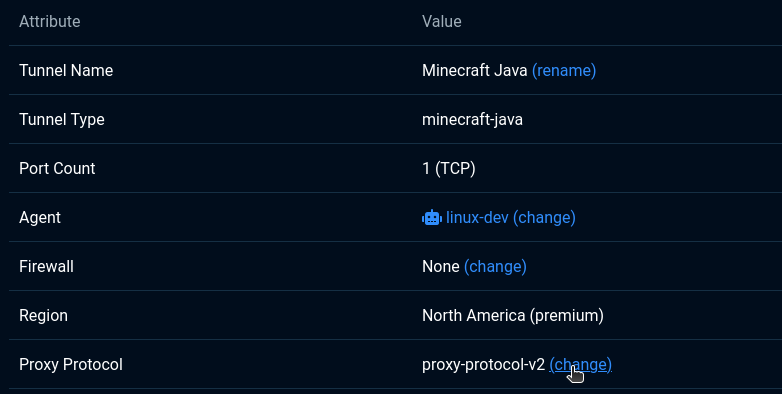
Change the protocol to either Proxy Protocol Version 1 or Proxy Protocol Version 2. We recommend Proxy Protocol Version 2.
You should be all set
Now when you connect, the true client IP should be provided to your server. If it’s not working, make sure you’re using the latest version of the playit program. Support for the proxy protocol was added in version 0.15.26.
Next Steps
Do you have Geyser Setup? If so you may have broken it by requiring the proxy procol. This can be fixed, see our guide: Setup Proxy Protocol in GeyserMC